Threat Intelligence
Detektix automatically identifies and profiles entities that interact with your PhantomIDs. The Threat Intelligence module groups suspicious activity into threat actor profiles and enriches them with external data.
Auto-Detection
The platform continuously analyzes incoming communications to detect threat actors — entities that show patterns of targeting your planted identities.
How Detection Works
The auto-detection engine examines:
- Phone numbers that call or text multiple PhantomIDs
- Email addresses that contact multiple planted identities
- SMS senders targeting your honeypot numbers
- Cross-channel patterns — the same source reaching out via different communication methods
Detection Thresholds
A source is flagged as a potential threat actor when it meets configurable thresholds:
| Criterion | Description |
|---|---|
| Minimum honeypots contacted | The source must have contacted at least N different PhantomIDs |
| Minimum total contacts | The source must have made at least N total contacts |
| Lookback period | Only activity within the last N days is considered |
These thresholds filter out noise (single accidental calls) and surface genuine patterns of targeted activity.
Grouping Logic
The detection engine groups related sources into a single threat actor profile. For example, if the same caller uses two different phone numbers to contact your PhantomIDs, both numbers are linked to one threat actor.
Threat Actor Profiles
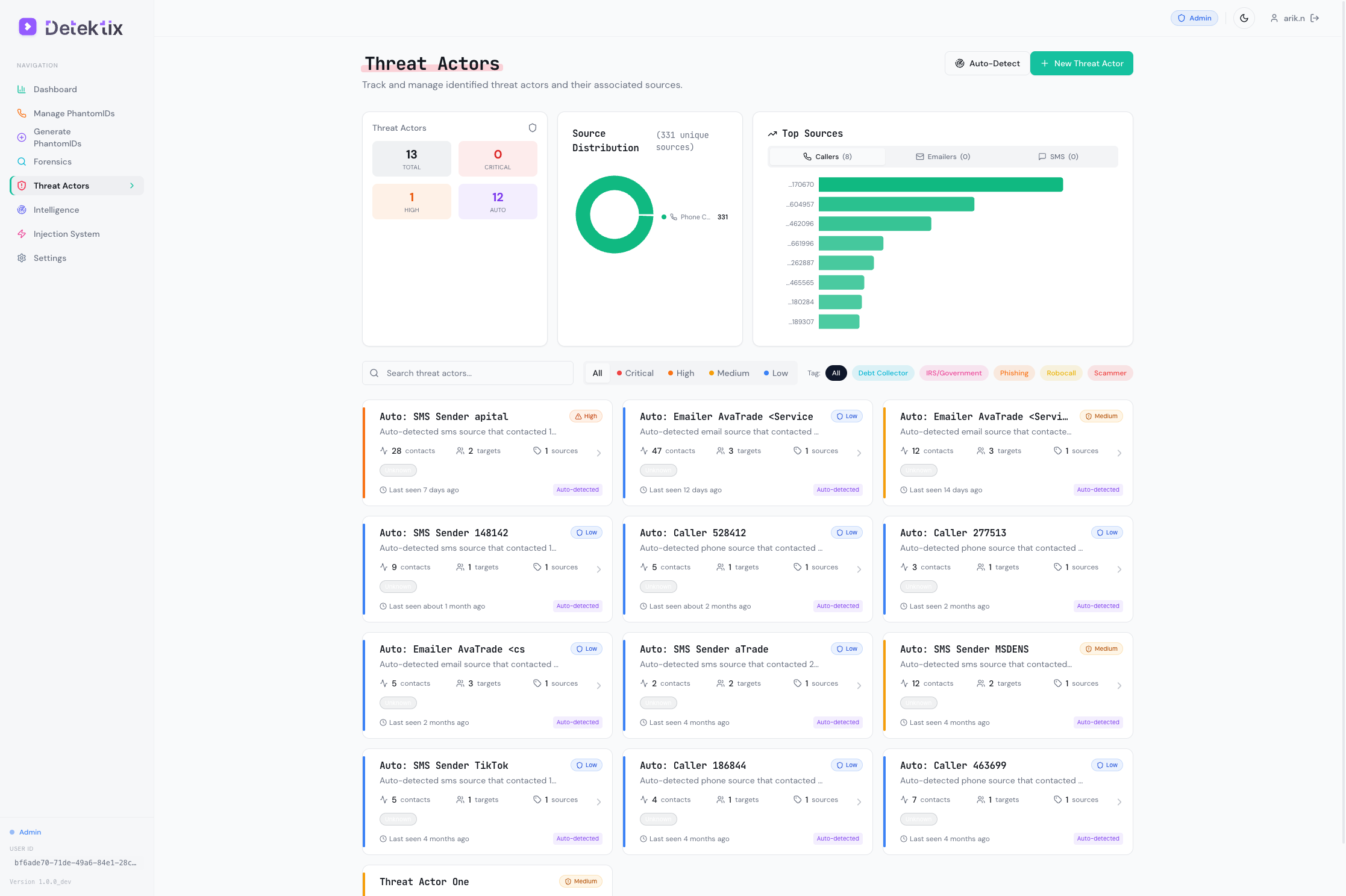
Navigate to Threat Actors to view and manage detected threat actor profiles.
Profile Overview
Each threat actor profile contains:
| Field | Description |
|---|---|
| Name | Auto-generated or manually assigned identifier |
| Description | Notes about this threat actor |
| Threat Level | Severity classification |
| Sources | Phone numbers, email addresses, and SMS numbers linked to this actor |
| First Seen | When this actor first contacted a PhantomID |
| Last Seen | Most recent contact |
| Total Contacts | Total number of communications across all channels |
| Unique Honeypots | Number of distinct PhantomIDs contacted |
| Tags | Categorization labels |
| Auto-detected | Whether this actor was found by auto-detection or created manually |
Threat Levels
| Level | Description | Typical Indicators |
|---|---|---|
| Low | Minimal concern, single or infrequent contacts | 1-2 PhantomIDs contacted, low frequency |
| Medium | Moderate concern, clear pattern emerging | 3-5 PhantomIDs contacted, repeated contacts |
| High | Significant threat, coordinated activity | 5+ PhantomIDs contacted, multiple channels used |
| Critical | Confirmed large-scale breach or ongoing attack | Systematic targeting, high volume, cross-channel |
Threat levels can be assigned automatically based on contact patterns or manually adjusted by analysts.
Source Attribution
Each threat actor has one or more sources — the actual identifiers used to contact your PhantomIDs:
- Phone sources — Phone numbers that made calls
- Email sources — Email addresses that sent messages
- SMS sources — Numbers that sent text messages
For each source, the system tracks:
- Total contact count
- Number of unique PhantomIDs contacted
- First and last seen timestamps
- Communication channel
Activity Timeline
The activity timeline shows a chronological view of all interactions:
- When each contact occurred
- Which PhantomID was targeted
- What channel was used (call, SMS, email)
- Duration and content (for calls and messages)
Threat Actor Tags
Tags help categorize threat actors by type, origin, or investigation status:
- Type tags — "Telemarketer", "Data Broker", "Fraud Ring", "Spam Bot"
- Status tags — "Under Investigation", "Confirmed", "False Positive"
- Origin tags — Geographic or organizational attribution
Create custom tags that match your investigation workflow and threat taxonomy.
Caller Enrichment
When a PhantomID receives a call, the system can automatically enrich the caller's information:
| Enrichment Data | Description |
|---|---|
| Carrier | The caller's phone carrier/operator |
| Line type | Mobile, landline, VoIP, or toll-free |
| Country | Caller's registered country |
| Region | More specific geographic location |
| Spam score | Likelihood the number is associated with spam |
| Name | Registered name (where available) |
Enrichment data helps analysts quickly assess the nature of incoming contacts without manual lookup.
Domain Intelligence
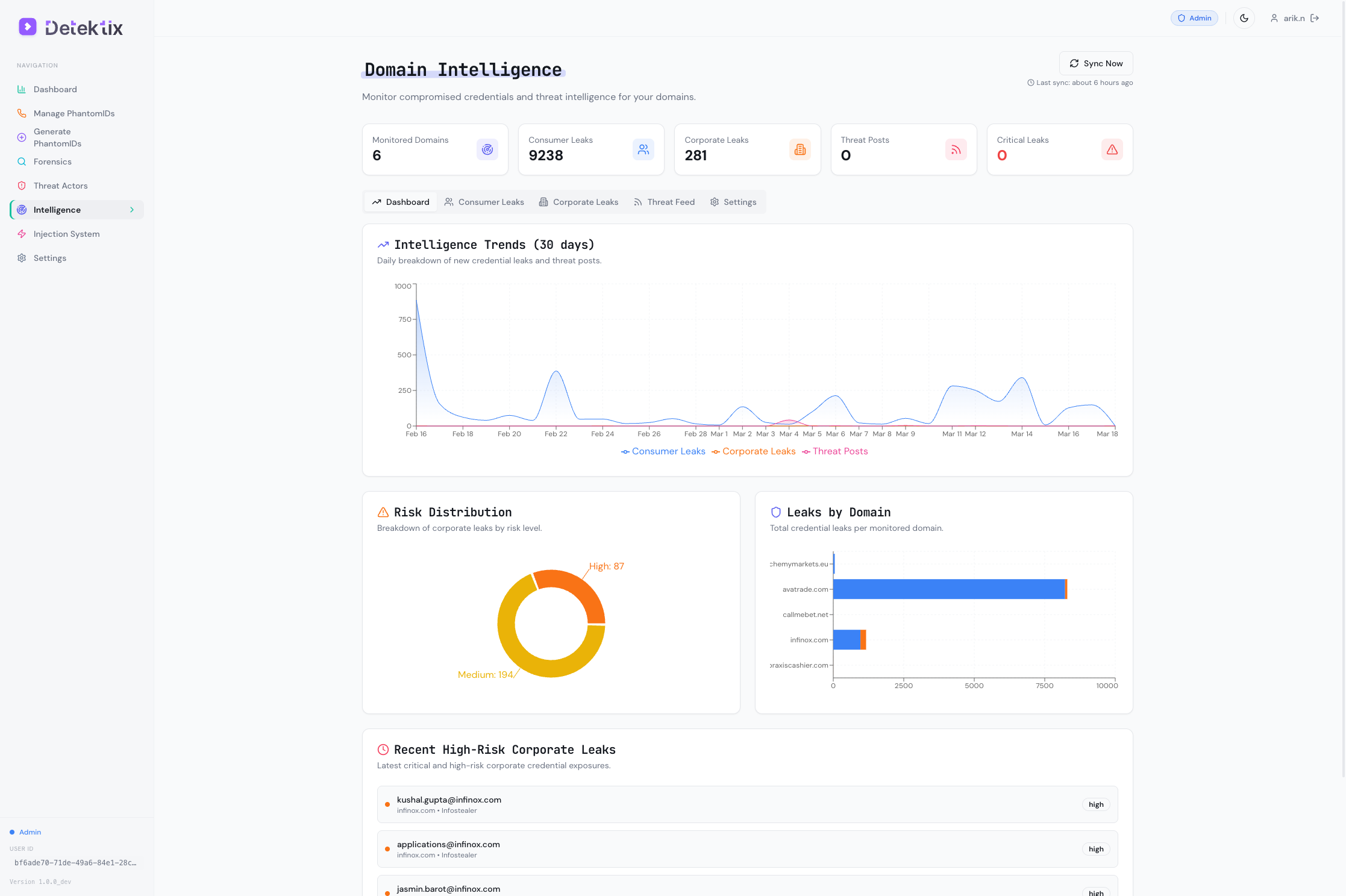
The Intelligence section provides monitoring and analysis of domains related to your organization's threat landscape.
Domain Monitoring
Track domains for:
- Breach exposure — Has data from this domain appeared in known breaches?
- Consumer leaks — Individual credential exposures tied to the domain
- Corporate leaks — Larger-scale organizational data exposures
- Threat feed mentions — Appearances in threat intelligence feeds
Data Awareness Scoring
The platform calculates a data awareness score for your PhantomIDs based on:
- How many PhantomIDs have been contacted (compromised)
- The velocity of new contacts
- The diversity of contact sources
- Cross-referencing with known injection targets
This score provides a high-level metric for how exposed your planted data has become — useful for executive reporting and trend tracking.
Creating Threat Actors Manually
While auto-detection handles most cases, you can also create threat actors manually:
- Navigate to Threat Actors
- Click Create Threat Actor
- Enter a name, description, and threat level
- Add known sources (phone numbers, email addresses)
- Assign tags for categorization
Manual creation is useful when you have intelligence from external sources (law enforcement, industry sharing groups) that you want to track alongside auto-detected actors.